EFT ESP Settings: What to Enable First
Enabling every ESP toggle at once clutters the raid. Use this first-session setup, then add layers when you need them.
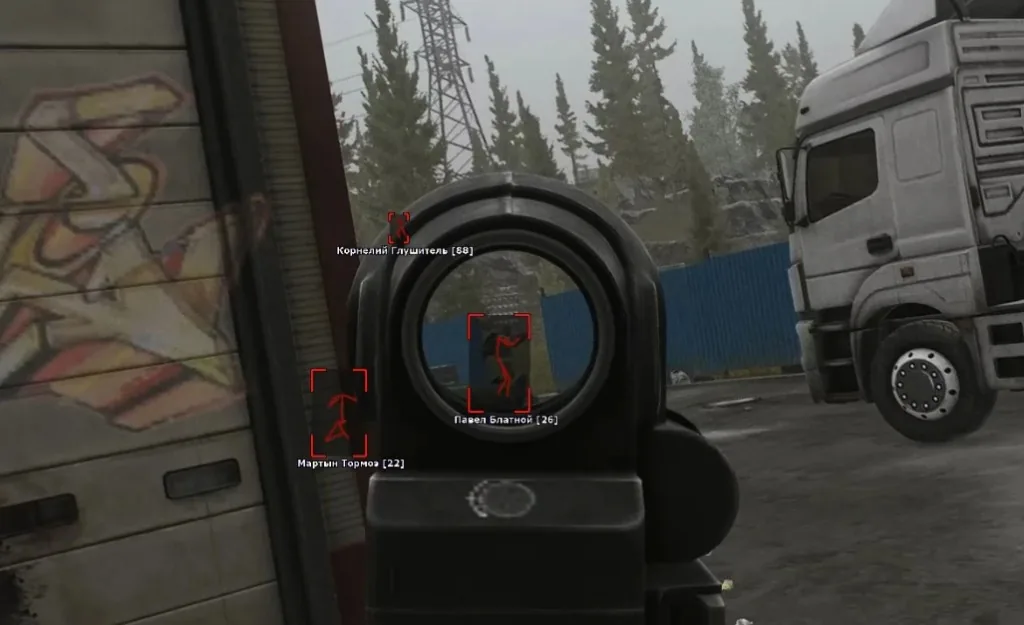
Why less is better at first
Player boxes, loot pins, bosses, extracts, and snaplines all compete for attention. On Factory you do not need long-range loot. On Woods you do not need every container highlighted.
EFT Hacks includes player, loot, boss, item, and exfil ESP in one license. You choose what is on — you do not buy modules separately. Detail pages: ESP, player, loot.
First-session config
On — player ESP + loot ESP with a high-value filter.
Distance — start around 180–250m. Lower on Factory and Labs; raise slightly on Woods or Lighthouse if you rotate long.
Opacity — keep boxes readable but not neon-bright so you still see the world.
Off for now — boss ESP, item spam, and max-range wallhack until the basics feel natural.
Second session and later
Add boss ESP when you are hunting a specific spawn. Add exfil markers when you die to third parties at extracts.
If FPS drops, cut loot categories first, then distance. Wallhack cues near dorms and extracts help more than covering the whole map.
Quick map notes
Customs / Factory — short distance, players + key loot only.
Woods / Shoreline — slightly higher distance; keep loot filters strict.
Streets / Interchange — watch FPS; fewer pins beat “show everything.”
Next step
Read the setup guide and hotkeys, then buy EFT Hacks when Status is live for your build.
Discussion
Loading discussion…